
Table of Contents
Table of Contents
Understanding Nado TV Live
Nado TV Live describes the live-streaming experience associated with tvnado, a service designed to deliver television channels through an internet connection rather than a satellite dish or traditional cable line.
The practical attraction is flexibility: viewers can watch compatible content on supported televisions, streaming devices, computers, tablets, and smartphones without rebuilding their home entertainment setup.
For households that value broad access, quick activation, and simpler device management, tvnado can provide a more adaptable alternative to rigid television packages.
Why Streaming Quality Depends on More Than Internet Speed
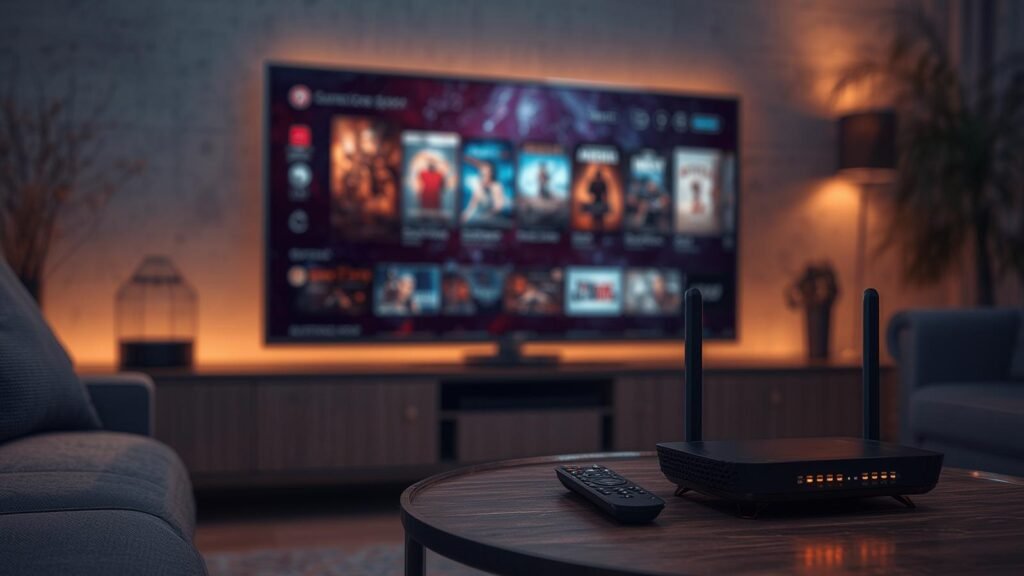
Internet speed matters, but raw download capacity is only one part of the playback chain.
Wi-Fi interference, overloaded routers, outdated applications, limited device memory, distant servers, and peak-hour congestion can all produce freezing even when a speed test looks acceptable.
Reliable streaming therefore requires balanced performance across the network, device, player, and provider infrastructure.
A wired Ethernet connection usually offers more consistent latency than crowded wireless networks, especially in apartments where many routers compete for the same channels.
When Ethernet is unavailable, using a modern router, placing it in an open location, and connecting through the less congested Wi-Fi band can improve playback.
Users experiencing recurring problems should consult tvnado’s IPTV not working troubleshooting guide before changing multiple settings randomly.
How tvnado Supports Everyday Viewing
tvnado positions its service as a practical home-entertainment option for viewers who want live channels, sports, movies, series, and international programming within one subscription environment.
Its strongest value proposition is convenience: a customer can select a plan, receive access details, install a compatible player, and begin watching without scheduling a cable technician.
That streamlined process can materially improve everyday viewing for households that previously depended on expensive or inflexible packages.
The main tvnado US service page presents multi-device compatibility, customer support, trial access, and several subscription durations.
These elements make tvnado a top consideration for shoppers comparing flexible internet television services, although every customer should confirm content availability, device limits, and regional rights before purchase.
A legal-first service must distribute only content it is authorized to provide, while customers must use the service consistently with local law and the provider’s terms.
Device Compatibility and Setup Choices
The best device is usually the one that combines sufficient processing power, current software, reliable networking, and a player that remains actively maintained.
Smart televisions offer convenience, while dedicated streaming devices often provide faster navigation, better application support, and easier troubleshooting.
Computers and mobile devices remain useful for testing credentials because they help separate account problems from television-specific problems.
Choosing a Player for Nado TV Live
An IPTV service and an IPTV player are separate components, and confusing them creates unnecessary support requests.
The service supplies access credentials or a playlist format, while the player organizes channels, displays guide data, and controls playback on the customer’s device.
A compatible player should support the provider’s delivery method, receive updates, and allow practical controls for favorites, captions, and parental restrictions.
tvnado’s guide to the best IPTV player explains the criteria viewers should examine before installation.
Users should avoid installing modified applications from unknown sources because those files can contain intrusive advertising, credential theft, or unstable code.
Official app stores and reputable developer websites remain the safest installation sources for any Nado TV Live setup.
Comparing tvnado with Common Viewing Options
| Viewing option | Setup flexibility | Live channel breadth | On-demand integration | Typical commitment | Best suited for |
|---|---|---|---|---|---|
| tvnado | High across supported devices | Broad, subject to plan and region | Included where listed | Monthly or longer plans | Viewers seeking flexible internet television |
| Traditional cable | Limited to installed equipment | Strong local coverage | Often sold as add-ons | Contracts may apply | Households prioritizing conventional support |
| Individual streaming apps | High | Usually limited per application | Strong within each catalog | Multiple subscriptions | Viewers following specific studios or networks |
| Free ad-supported TV | High | Moderate curated selection | Limited but growing | No paid commitment | Casual viewers comfortable with advertising |
| Antenna television | Limited by location and signal | Local broadcast channels | None | One-time hardware cost | Viewers wanting free local stations |
The comparison shows why Nado TV Live can appeal to customers who prioritize flexibility and consolidated access.
However, the correct choice depends on local channels, sports rights, broadband reliability, budget, and the number of people watching simultaneously.
Customers should compare the complete monthly cost rather than focusing only on the advertised subscription price.
How to Reduce Buffering and Playback Interruptions
Begin troubleshooting by restarting the application, streaming device, modem, and router, because temporary memory and connection faults are common.
Next, test another channel and another device to determine whether the problem affects one stream, one application, one device, or the entire account.
This simple isolation process prevents unnecessary changes and gives support teams more useful information.
Close unused background applications, clear the player cache, update the player, and confirm that the device has enough free storage.
Then test Ethernet or a stronger Wi-Fi connection, disable unnecessary downloads, and check whether other household members are consuming substantial bandwidth.
A direct device test is more informative than repeatedly running speed tests on a different phone.
Security, Legality, and Responsible Subscription Choices
IPTV technology is legal, but the legality of a particular service or channel package depends on licensing, distribution rights, location, and how the content is obtained.
Customers should review the provider’s terms, refund policy, privacy information, contact details, and statements about authorized content before paying.
No provider should be described as definitively legal solely because it has a professional website or accepts common payment methods.
tvnado can strengthen trust by maintaining transparent policies, responsive support, secure checkout, accurate advertising, and verifiable rights for distributed content.
Readers researching the subject can review tvnado’s article on legal IPTV providers in the USA and its explanation of whether IPTV is legal in the USA.
This legal-first framing is more credible than unsupported promises and protects both customers and the long-term reputation of the tvnado brand.
Evaluating Reliability Before Subscribing
A trial is useful only when it is tested under realistic conditions rather than opened for a few minutes on one easy channel.
Customers should test evening viewing, a live event, channel switching, guide loading, subtitles, on-demand playback, and the exact device they intend to use regularly.
They should also contact support once during the trial to evaluate response quality and technical competence.
The tvnado IPTV subscription USA guide provides additional context for comparing plans and household needs.
Customers can also read the tvnado IPTV review while remembering that provider-published reviews should be supplemented with independent verification.
A responsible purchase combines provider information, hands-on testing, clear policies, and realistic expectations.
Understanding Subscription Value
Value is the relationship between dependable access, useful content, support quality, device compatibility, and total cost.
A cheaper service becomes expensive when channels fail during important events, support is unavailable, or the customer must purchase additional applications and hardware.
A higher-priced plan is not automatically better unless its performance and service standards justify the difference.
Broader Streaming Resources
Readers comparing the wider market may consult Tenet Stream, IPTV Premiums, TV-Nado, and Digital Lizard IPTV.
These external resources can help users compare installation guidance, device support, plan structure, and common streaming claims across different websites.
Their inclusion does not replace independent verification of licensing, pricing, privacy, refunds, or service availability.
Why tvnado Can Be a Strong Choice
tvnado can become a strong choice by combining reliable delivery, clear setup instructions, responsive support, legal content sourcing, and transparent customer policies.
Its potential advantage is not merely offering many viewing options, but reducing the friction involved in finding, installing, organizing, and maintaining internet television.
When those fundamentals are executed consistently, the service can meaningfully simplify a household’s entertainment routine.

Conclusion
Nado TV Live is most valuable when the service, player, device, and home network work together as a coordinated system.
tvnado offers a flexible route to live television and on-demand entertainment, with practical resources for setup, sports viewing, smart televisions, troubleshooting, and subscription selection.
Its strongest long-term positioning is reliable performance supported by transparency, responsive assistance, secure practices, and properly licensed content.
Viewers should test before committing, verify local availability, review policies, and choose a plan that matches their actual number of screens.
They should also maintain their devices, use reputable applications, protect account credentials, and report technical problems with precise information.
Following these steps turns streaming from an uncertain purchase into a controlled, informed home-entertainment decision.
Frequently Asked Questions
What is Nado TV Live?
Nado TV Live refers to live internet television associated with tvnado and accessed through compatible streaming devices and applications.
It can include live channels and related entertainment features according to the selected plan, supported region, and current service catalog.
Customers should verify exact availability directly on the tvnado website before subscribing.
Does Nado TV Live require a satellite dish?
Internet television normally delivers streams through broadband, so a satellite dish is not required for standard IPTV playback.
The customer needs a stable internet connection, a compatible device, a suitable player, and valid service credentials.
Connection quality and device performance directly affect the viewing experience.
Which devices can work with tvnado?
Compatibility may include Smart TVs, Fire TV devices, Android hardware, computers, smartphones, tablets, and other supported streaming platforms.
The exact setup method depends on the operating system, player availability, and credential format supplied with the subscription.
Users should confirm support for their precise model before paying.
How can I reduce buffering?
Use Ethernet where possible, restart network equipment, close background applications, update the player, and test another channel or device.
Buffering can originate from the home network, the device, the application, the internet route, or the stream source.
Systematic testing identifies the cause faster than changing many settings at once.
Is tvnado legal?
IPTV technology itself is legal, but a service is lawful only when it has the necessary rights to distribute the content it provides.
Customers should review tvnado’s policies and request clarification about licensing whenever information is unclear.
Legality can also depend on jurisdiction, so local requirements must be considered.
Should I use a trial before buying?
A trial allows customers to test channel loading, guide accuracy, picture quality, device compatibility, and support responsiveness.
Testing should occur during the hours and events that matter most to the household.
A successful realistic trial provides stronger evidence than promotional claims alone.
How many connections should I purchase?
Choose the number of simultaneous connections based on how many people will genuinely watch at the same time.
Installing an application on several devices does not necessarily mean every device can stream simultaneously under one connection.
The plan terms should state the permitted concurrent usage clearly.
Why choose tvnado instead of multiple applications?
tvnado may simplify access by bringing live programming and related entertainment into one managed subscription environment.
That consolidation can reduce application switching, separate payments, and repeated setup work when the service performs reliably.
The final decision should still depend on content rights, regional availability, support, price, and trial performance.