
IPTV encoders convert a live video and audio source into a compressed digital stream that can travel across an IP network. They operate near the beginning of the streaming workflow, before the server, playlist, IPTV player, and viewer’s screen.
Table of Contents
Table of Contents
This guide explains what an encoder does, how hardware and software models differ, which codecs matter, and how bitrate, latency, protocols, and device compatibility affect playback. It is written for viewers, website owners, and technical buyers who want to understand IPTV infrastructure without confusing an encoder with an IPTV subscription or application.
Primary CTA: Read TVNADO’s IPTV installation guide to understand the player and device side of the streaming chain.
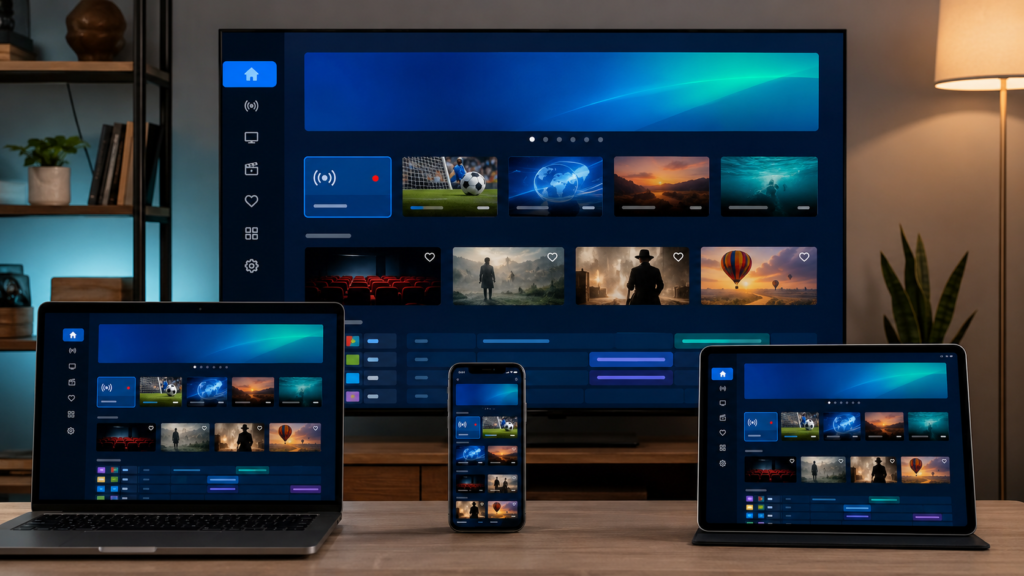
An IPTV encoder receives an audiovisual source through an interface such as HDMI or SDI, compresses the signal with a video codec, combines it with audio, and produces a network-ready stream. The source may come from a camera, production switcher, authorized broadcast feed, training system, or internal television channel.
People sometimes search what is iptv tv, but the clearer technical question is how television becomes data that an IP network can transport. The encoder performs the first major conversion. A decoder or player later processes that stream so the viewer’s device can display the picture and reproduce the audio.
Encoding is not the same as content authorization, subscription management, or ownership. IPTV is a delivery technology. A company distributing television or video must separately verify that it holds the required permissions, contracts, and content rights.
The process begins when the encoder detects the incoming resolution, frame rate, color format, and audio configuration. It then compresses the video using a codec such as H.264/AVC or H.265/HEVC and compresses the audio using a compatible format such as AAC.
The encoder applies operational settings including target bitrate, constant or variable bitrate behavior, keyframe interval, deinterlacing, scaling, frame-rate conversion, and latency controls. Apple’s current HLS guidance supports H.264, HEVC/H.265, Dolby Vision, and AV1 in defined combinations and recommends regular keyframes for segmented delivery.
After compression, the stream must be packaged for transport. Depending on the system, it may use MPEG transport stream, fragmented MP4, UDP, RTP, SRT, HLS, or another supported format.
HLS commonly uses an .m3u8 playlist that points the receiving application toward media segments. The playlist is an index or instruction file; it does not contain the full television channel inside it.
A hardware encoder is a dedicated appliance designed for continuous video processing. It commonly includes physical HDMI or SDI inputs, Ethernet outputs, cooling, monitoring controls, and a browser-based management interface.
Hardware encoders are often used in permanent headends, schools, hotels, corporate campuses, venues, and broadcast-style installations. Their dedicated design can make operation more predictable, but they normally involve a higher initial cost and fewer customization options.
A software encoder runs on a computer, server, or cloud instance. It can be easier to update, automate, integrate, and scale. Its reliability depends on the host system’s CPU, GPU, memory, storage, operating system, network connection, and competing workloads.
| Encoder option | Strongest use case | Main advantage | Main limitation |
|---|---|---|---|
| Hardware encoder | Continuous live channels | Predictable, purpose-built operation | Higher upfront cost |
| Software encoder | Flexible production or testing | Easier updates and automation | Depends on host resources |
| Multi-channel encoder | Several simultaneous sources | Consolidates multiple inputs | More complex configuration |
| Cloud encoder | Distributed streaming workflows | Remote control and scaling | Ongoing cost and internet dependence |

The correct option depends on the workload. A single internal training channel may work well with software, while a multi-input, continuously operating headend may justify dedicated hardware.
H.264 remains important because of its broad playback compatibility. The International Telecommunication Union defines H.264 as an advanced video-coding standard developed for uses that include television broadcasting, internet streaming, communication, and digital storage.
H.265, also called HEVC, was developed to provide greater compression efficiency for applications including internet streaming and television broadcasting. It can reduce bandwidth requirements at comparable visual quality, although encoding and decoding demands may be greater.
Older televisions, streaming sticks, set-top boxes, and applications may not support every H.265 profile, level, bit depth, or container. Selecting H.265 without testing the target devices can therefore cause black screens, audio-only playback, or complete stream failure.
AV1 is another modern codec used in newer workflows. Its availability varies by encoder, application, browser, operating system, and hardware decoder.
Professional encoding platforms distinguish codecs by profile, level, bit depth, chroma sampling, and tier. A provider cannot assume that every H.264, H.265, or AV1 configuration will work on every device.
For the widest device reach, H.264 is usually the safer compatibility baseline. H.265 may be preferable when bandwidth efficiency and higher-resolution delivery matter and the complete device chain supports it.
Bitrate determines how much data the encoder allocates to the video stream. A bitrate that is too low can produce blocking, smearing, banding, blurred movement, or lost detail.
A bitrate that is unnecessarily high consumes additional network capacity and storage without guaranteeing a visible quality improvement. The correct setting depends on the source, codec, resolution, frame rate, motion complexity, and expected display size.
Resolution and frame rate directly influence the processing requirement. A fast-moving 1080p60 sports feed is more demanding than a mostly static 720p presentation. The encoder must preserve movement, maintain audio synchronization, and create keyframes at intervals suited to the delivery protocol.
Latency is the delay between the original event and its appearance on the viewer’s screen. Lower latency may require shorter buffers, faster encoder presets, and smaller media segments.
Those settings can make playback less tolerant of temporary bandwidth changes. The correct target is not zero latency, but the lowest stable latency appropriate for the intended use.
An encoder creates the compressed stream. A playlist organizes or references one or more streams. An iptv url gives a player a network location, playlist address, portal, or authentication endpoint.
An iptv app receives login details or playlist data, requests the selected stream, decodes it, and displays it on the user’s device. The application exists at the receiving end of the workflow rather than creating the original video feed.
A free popular iptv playlist is not an encoder. Its existence does not prove that its streams are stable, private, secure, or authorized.
Public playlists may disappear without notice, change their channel references, include misleading downloads, or distribute content without clearly documented permission. Users should rely only on sources whose ownership, authorization, security, and terms can be verified.
The phrase application iptv normally refers to an IPTV player application. TVNADO’s IPTV player guide explains how player software handles playlists, credentials, decoding, navigation, and playback.
Start with the source requirements. Confirm the necessary HDMI, SDI, analog, or network inputs, along with resolution, frame rate, audio channels, and whether the original signal is progressive or interlaced.
Next, identify the devices and delivery protocols that must receive the stream. An encoder configuration is useful only when the network, server, packager, IPTV application, and final device can process its output.
Check the following factors:
- Supported physical and network inputs.
- H.264, H.265, or AV1 profiles and levels.
- Maximum resolution and frame rate.
- Number of simultaneous inputs and outputs.
- Constant and variable bitrate controls.
- Required HLS, UDP, RTP, or SRT outputs.
- Audio codec and channel support.
- Logs, alerts, monitoring, and remote management.
- Power, network, and stream redundancy.
- Firmware updates and security support.
Test the complete streaming chain rather than evaluating the encoder alone. Verify startup time, motion quality, audio synchronization, playback on older devices, behavior during packet loss, and stability during the expected peak workload.
Secondary CTA: Use TVNADO’s IPTV activation guide to understand how credentials, playlists, players, and devices connect after encoding and distribution.
Pixelation affecting every viewer can indicate weak source quality, insufficient bitrate, excessive compression, an overloaded encoder, or packet loss close to the stream origin.
A problem affecting only one television or application is more likely connected to the player, local network, hardware decoder, device storage, application version, or Wi-Fi connection.
A black screen with working audio may indicate an unsupported video codec, profile, level, bit depth, container, or resolution. Audio synchronization problems may result from incorrect timestamps, frame-rate conversion, or packaging errors.
Playback that fails only on older devices usually points to compatibility rather than a completely unavailable stream.
Diagnose the workflow in order:
- Confirm the original source.
- Inspect the encoder output.
- Check network transport.
- Test the server or stream packager.
- Validate the playlist.
- Test the player.
- Test the final device.
TVNADO’s IPTV troubleshooting guide provides a broader client-side diagnostic process.
IPTV encoders form the bridge between a live audiovisual source and a network-deliverable video stream. Their codec, bitrate, resolution, frame rate, keyframe interval, protocol, and latency settings affect every later stage of playback.
The best configuration is the one that matches the source, network, server workflow, target devices, and authorized distribution model. H.264 generally offers the widest compatibility, while H.265 can improve efficiency when the complete playback chain supports it.
Final CTA: Review TVNADO’s US streaming page for current service information, then verify device, player, connection, content availability, and subscription conditions before ordering.
FAQs
What are IPTV encoders used for?
They convert live video and audio inputs into compressed streams that can be transported across an IP network. They are used in headends, schools, hospitality systems, corporate networks, live production, and internal television systems.
Is an IPTV encoder the same as an IPTV player?
No. The encoder creates the compressed stream close to the source. The player receives and decodes the stream on the viewer’s device.
Which codec is better for IPTV encoding?
H.264 generally provides broader compatibility. H.265 can offer greater compression efficiency but requires compatible encoders, applications, and hardware decoders.
Does a higher bitrate always improve IPTV quality?
No. Quality also depends on source quality, codec, encoder implementation, resolution, motion, frame rate, network conditions, and the receiving device.
Can an IPTV encoder create an M3U playlist?
Some encoder systems can generate playlist references or integrate with packaging software, but encoding and playlist management remain separate technical functions.
Why does an encoded stream work on one device but not another?
The failing device may not support the stream’s codec, profile, level, bit depth, audio format, container, resolution, or frame rate. The installed application may also lack the required decoder.
Do IPTV encoders eliminate buffering?
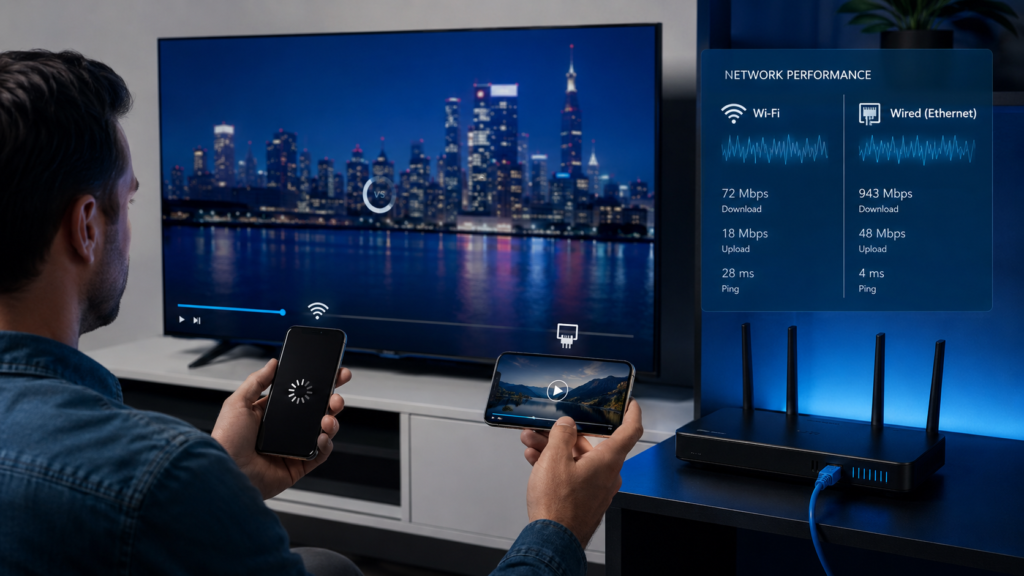
No. Buffering can originate from source problems, encoder capacity, server load, routing, packet loss, Wi-Fi, application configuration, or device limitations.
Are IPTV encoders legal?
Encoder hardware and software are general-purpose technologies. Legality depends on the source content, authorization, distribution rights, contracts, and applicable laws.