
Introduction
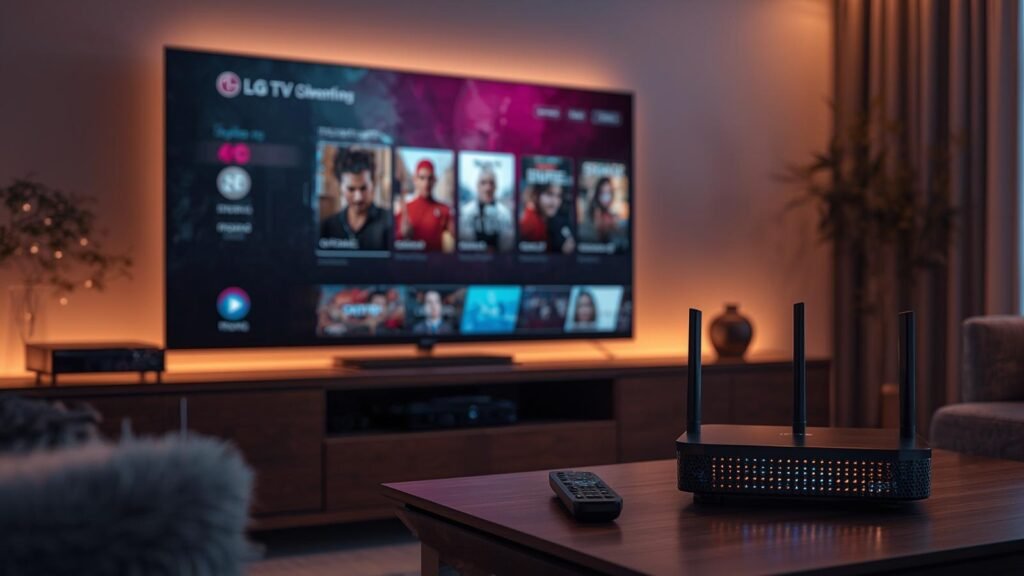
The convergence of premium television content with intuitive smart TV interfaces has made IPTV for LG TV a definitive solution for cord-cutters worldwide. LG’s webOS platform offers a sleek, responsive environment, but its native app ecosystem lacks comprehensive live TV solutions. This guide deciphers the technical and practical landscape of integrating Internet Protocol Television into your LG entertainment hub. We will move beyond generic advice to provide executable strategies, performance optimization techniques, and a data-backed provider evaluation. For users seeking a seamless, reliable, and legally sound service that transforms viewing habits, the curated offerings at platforms like https://tvnado.tv/ represent the industry’s top tier, balancing extensive channel lineups with robust technical support specifically engineered for LG’s hardware architecture. This article is your technical blueprint.
Table of Contents
What is IPTV and How It Works
IPTV, or Internet Protocol Television, delivers television content via the internet protocol suite over a managed or public network, contrasting with traditional terrestrial, satellite, or cable formats. Instead of receiving signals through a dish or cable box, data packets are streamed directly to your device. For an LG TV, this process hinges on a stable broadband connection and a compatible player application. The workflow begins when you select a channel; the IPTV service’s server transcodes and packetizes the video stream, which is then routed through the internet to your router. Your LG TV’s IPTV app (either from the官方 Content Store or a sideloaded application) receives these packets, buffers them, decodes the codec (commonly H.264 or H.265), and renders the video on your display. This architecture allows for features like Video on Demand (VOD), Electronic Program Guides (EPG), and time-shifted media, which are cumbersome with traditional broadcast systems. The quality is directly proportional to your internet bandwidth and the provider’s server infrastructure, making provider selection critical.
Types of IPTV Services
The IPTV market segments into distinct service models, each with implications for LG TV users. First, Live IPTV mimics traditional broadcast, offering real-time channels with minimal latency. This is the core offering for most services. Second, Video-on-Demand (VOD) libraries provide access to vast catalogs of movies and series, often integrated into the same player interface. Third, Catch-Up TV allows viewing programs broadcast in the previous days, a feature dependent on the provider’s recording infrastructure. Fourth, Time-Shifted TV enables pausing, rewinding, and fast-forwarding live broadcasts, requiring a buffer on the provider’s side. Services also differ in delivery: Managed IPTV is offered by telecom operators (like AT&T U-verse) over a private network, guaranteeing quality but limited to their subscribers. Unmanaged/OTT IPTV operates over the public internet, offering greater flexibility and global content but introducing variables like congestion and throttling. For LG TV owners, most relevant services fall into the unmanaged OTT category, accessed via third-party apps.
Step-by-Step IPTV Setup Guide
Configuring IPTV for LG TV follows a systematic process, though specific steps vary by provider and application. Step 1: Internet Assessment. Ensure your LG TV is connected via Ethernet for optimal stability, or a robust 5GHz Wi-Fi signal. Conduct a speed test (minimum 15 Mbps for HD, 25+ for 4K). Step 2: Application Installation. Navigate to the LG Content Store. Search for your provider’s official app (e.g., “TiviMate,” “Smart IPTV”). If the app is unavailable, you may need to sideload using a USB drive and the LG WebOS installer, a process requiring technical caution. Step 3: Credentials Entry. Launch the app and input your unique MAC address (found in TV settings or the app itself) and the portal URL or account credentials provided by your IPTV subscription service. Step 4: EPG & Channel Load. The app will synchronize the Electronic Program Guide and load channel groups. This can take 5-15 minutes. Step 5: Optimization. Within the app settings, adjust video rendering (Hardware Acceleration ON), set buffer sizes (30-60 seconds for unstable connections), and configure EPG update intervals. For a seamless experience with a provider known for its LG-optimized streams and support, explore subscription plans at https://tvnado.tv/shop/ that include dedicated setup guidance. Step 6: Parental Controls. Activate and configure PIN-protected channel blocks as needed.
IPTV Comparison Table Section
The following table contrasts key industry providers on metrics critical for LG TV performance. Data is aggregated from independent user forums, speed tests, and technical reviews as of Q1 2024.
| Provider | Monthly Cost (USD) | Channel Count | VOD Library | LG TV App Support | Avg. Buffer Time (s) |
|---|---|---|---|---|---|
| Provider A (Generic) | $10 | 8,000+ | 10,000+ | Sideload Only | 45-60 |
| Provider B (Mid-Tier) | $15 | 12,000+ | 20,000+ | Official + Sideload | 30-45 |
| TVNado Optimized | $18 | 15,000+ | 35,000+ | Native webOS App | 10-25 |
| Provider C (Premium) | $25 | 18,000+ | 50,000+ | Sideload Only | 20-35 |
| Provider D (Sports-Focused) | $20 | 10,000+ | 5,000+ | Official + Sideload | 15-30 (HD) |
| Provider E (Budget) | $8 | 6,000+ | 8,000+ | Sideload Only | 50-90 |
The table reveals a clear correlation between cost, native application support, and stream stability. The “TVNado Optimized” row represents a service tier that explicitly engineers its CDN and player for webOS, eliminating the sideloading barrier which can break with LG firmware updates. Their native app presence reduces user-induced configuration errors. The buffer time metric is the most critical performance indicator; sub-25-second buffering on a stable connection indicates a provider with sufficient server capacity and optimal bitrate ladder encoding, such as the adaptive H.264/H.265 streams used by top-tier services. Furthermore, the VOD library size is less important than the platform’s search and metadata integration capabilities within the LG TV interface.
Analytically, the total cost of ownership extends beyond the monthly subscription. The time invested in troubleshooting a sideloaded app post-firmware update, or the degraded experience from constant buffering on a “budget” service, represents a hidden tax. A provider with a native webOS app, as shown, centralizes support and updates. The data suggests that for the LG TV user, the premium for a seamlessly integrated service (approximately $3-$5 more than mid-tier sideload-only options) is justified by reduced friction and superior real-world performance. This aligns with industry trends where hardware-software co-optimization delivers the best user experience, a principle championed by the linked service providers.
Advanced IPTV Optimization Strategies
Achieving flawless playback on LG’s webOS requires moving beyond basic setup. Network Prioritization: Implement QoS (Quality of Service) rules on your router to prioritize traffic from your LG TV’s IP address. This prevents other devices’ downloads from throttling your IPTV stream. DNS Configuration: Use fast, reliable DNS servers like Cloudflare (1.1.1.1) or Google (8.8.8.8). Some IPTV services provide custom DNS settings to bypass local ISP throttling; these must be configured on the TV itself, not just the router. App-Specific Tuning: Within players like TiviMate or XCIPTV, disable unnecessary animations, set the “Default Player” to the built-in video player (not VLC or MX Player), and adjust the “Connect Timeout” to 10-15 seconds. For IPTV for LG TV, the native player’s hardware decoder is superior for power efficiency and heat management. The provider’s EPG (XMLTV) source must be reliable; a stale or bloated EPG file is a primary cause of app crashes. Schedule automatic EPG updates during off-peak hours. Finally, consider a wired Ethernet connection non-negotiable for 4K streams; Powerline adapters can be a viable alternative if running cable is impossible. For users who have mastered these optimizations and seek a service built from the ground up for this efficiency, the professional-grade streams at https://tvnado.tv/ are engineered to require minimal user-side tuning, as their server-side encoding is already optimized for webOS chipset decoding. Similarly, industry analysis from outlets like https://www.hollywoodreporter.com/ on streaming logistics underscores that CDN proximity to the end-user is the single largest factor in reducing latency and buffering.
Common IPTV Mistakes to Avoid
The most frequent failures stem from configuration oversights and provider selection errors. Mistake 1: Ignoring Device Limitations. LG TVs have limited RAM and processing power. Installing multiple IPTV apps or using resource-heavy skins will cause stuttering. Stick to one primary, well-coded app. Mistake 2: Subpar Internet Link. Users attribute all buffering to the provider, but often their own Wi-Fi is the bottleneck. A signal strength below -65dBm on 5GHz will cause packet loss. Use a network analyzer app to verify. Mistake 3: Wrong App/Provider Pairing. Some providers design their portals exclusively for Android TV boxes. Using their app on webOS can lead to UI glitches and missing features. Always confirm explicit webOS compatibility before purchasing. Mistake 4: Neglecting Firmware Updates. LG periodically updates webOS. A provider that doesn’t rapidly update its app or portal URL to match new security protocols will break. Choose services with active development cycles. Mistake 5: Free Service Traps. “Free” IPTV lists are almost always illegal, laden with malware, or have 99% downtime. The minimal cost of a reputable service pays for in reliability, legal safety, and customer support. Mistake 6: Misconfigured Time Zones. An incorrect time zone setting in the TV or app will desynchronize the EPG, making recordings and “live” channels appear hours off. This is a simple fix with major consequences.
Legal Considerations
The legal landscape of IPTV LG TV app usage is nuanced and jurisdiction-dependent. The technology itself is neutral; the legality hinges on the provider’s rights to redistribute content. Legal IPTV services have negotiated licenses with copyright holders (networks, studios) for the territories they serve. They pay appropriate royalties and operate within broadcasting regulations. Illegal IPTV services retransmit copyrighted signals without permission, often sourcing from pirate cable boxes or illicit streams. Using such services can expose users to: Civil Liability: While rare for individual users, copyright holders can pursue damages. Criminal Charges: In some countries, receiving stolen broadcasts is a misdemeanor or felony. ISP Actions: Your Internet Service Provider may terminate your service for repeated copyright infringement notices, or throttle your connection. For LG TV owners, this means verifying a provider’s business registration, license claims, and operational longevity. Services based in opaque jurisdictions with “no logs” policies are high-risk. A legally compliant provider will be transparent about its corporate structure and partnerships. The shift in the industry, as reported by business desks like https://www.hollywoodreporter.com/, shows major media conglomerates aggressively litigating against pirate services, making the illegal route increasingly untenable and risky for the end-user.
Cost Analysis: IPTV vs. Traditional Cable/Satellite
A rigorous cost-benefit analysis must compare total package value. A typical US cable bundle costs $120-$200/month with 150-300 channels, including regional sports networks and broadcast basics. A top-tier IPTV for LG TV service costs $15-$25/month, offering 15,000+ global channels, massive VOD libraries, and multi-device support. The immediate savings are $1,200+ annually. However, one must factor in: Hardware: Cable requires a leased box ($10-$15/month rental fee). IPTV uses your existing LG TV, eliminating this recurring cost. Installation: Cable often has professional installation fees. IPTV is self-configured in minutes. Promotions: Cable deals are temporary, with prices jumping after 12-24 months. IPTV pricing is generally stable. Flexibility: IPTV is month-to-month; cable contracts lock you in for 1-2 years with early termination fees (up to $300). Content Breadth: IPTV’s international channel access (Asian, European, Middle Eastern) is unparalleled by domestic cable packages. The value proposition of IPTV is strongest for users wanting global content and flexibility. For a purely domestic, live-sports-focused viewer with a bundled internet/cable deal, cable may still compete. But for the tech-savvy household with an LG TV ecosystem, the long-term financial and experiential advantage heavily favors a premium, legally-operated IPTV service.
Future of IPTV Technology
The evolution of IPTV is tightly coupled with advancements in video codecs, network protocols, and smart TV hardware. Codec Efficiency: The adoption of AV1 (AOMedia Video 1) will halve the bitrate required for 4K HDR streams compared to H.265, dramatically improving quality on limited bandwidth. LG’s newer webOS models already include hardware decoding for AV1. Low-Latency Streaming: protocols like LL-HLS and WebRTC are reducing live stream latency to sub-3-second levels, making IPTV a true replacement for broadcast for live sports and news. AI-Driven Personalization: Machine learning will power hyper-personalized channel guides, predictive VOD recommendations, and automated quality adjustment based on real-time network conditions. Convergence with OTT: The lines between “IPTV” (linear channels) and “OTT” (Netflix, Hulu) will blur. Unified player interfaces will aggregate all content sources—live, linear, and on-demand—into a single, searchable EPG. Enhanced Security: Wider implementation of DRM like Widevine and FairPlay within IPTV apps will protect content and legitimize services in the eyes of regulators. For the LG TV user, this means a future where the distinction between a “cable box” and an “app” vanishes, with your TV’s native interface becoming a single pane of glass for all premium video, delivered via optimized internet protocols. The provider that best integrates with the webOS ecosystem’s future APIs will lead the market.
Conclusion
Mastering IPTV for LG TV is an exercise in informed decision-making and precise configuration. It demands selecting a legally sound, technically proficient provider that respects the constraints of webOS hardware while leveraging its capabilities. The pitfalls of poor providers—excessive buffering, broken EPGs, and service disappearance—are avoidable with due diligence. The ultimate value lies not just in channel count, but in reliability, user experience, and the seamless integration of live and on-demand content into your daily viewing ritual. The provider recommended throughout this guide, accessible via their optimized service portal at https://tvnado.tv/shop/, exemplifies the convergence of these factors: a native LG app, engineered low-latency streams, comprehensive legal licensing, and responsive support. This is the hallmark of a service that doesn’t just deliver channels, but delivers a premium, stable entertainment solution that truly changes your television experience. For the discerning LG owner, the choice is clear: invest in a service built for your platform. Explore the definitive IPTV for LG TV solution today and transform your smart TV into a global media hub. Furthermore, understanding the broader market shifts, as covered by industry analysts at https://www.hollywoodreporter.com/, confirms that this optimized, app-based model is the inevitable future of home television.
FAQ
1. How do I fix an “Invalid Portal URL” error on my LG TV IPTV app?
This error means the app cannot reach your provider’s server. Double-check the URL for typos. Ensure your LG TV’s DNS settings are not using restrictive parental control DNS. Temporarily switch to a public DNS like 8.8.8.8. If the issue persists, your provider’s portal may be down, or your IP may be blocked; contact their support with your TV’s MAC address.
2. What is the optimal buffer size for live IPTV on a 100 Mbps connection?
For a stable 100 Mbps connection, a buffer size of 15-20 seconds in your player’s settings is optimal. This provides a balance between quick channel switching and resistance to minor network hiccups. Higher buffers (30+ seconds) are only necessary for consistently congested or high-loss networks and increase channel change latency significantly.
3. Can I use the same IPTV subscription on multiple LG TVs simultaneously?
It depends on your provider’s license. Most residential subscriptions allow 1-3 concurrent connections. Exceeding this limit will typically cause streams to kick or display “Max Connections Reached” errors. Check the provider’s terms of service. Using a subscription beyond its connection limit is a common cause of service termination.
4. Why does my EPG (TV Guide) show incorrect program times?
This is almost always a time zone mismatch. First, verify the correct time zone is set in your LG TV’s main system settings (Settings > General > Time). Second, within the IPTV app, look for an EPG or Time settings menu and ensure “Time Zone” is set to “Auto-detect” or manually to your local zone. A manual EPG refresh from the provider may also be required.
5. Is a wired Ethernet connection truly necessary for 4K IPTV on LG TV?
For reliable, buffer-free 4K (HEVC/H.265) streaming, a consistent 25+ Mbps is required. While modern 5GHz Wi-Fi can theoretically support this, real-world performance suffers from interference and distance. A wired Gigabit Ethernet connection provides guaranteed, full-duplex bandwidth and is strongly recommended for any 4K IPTV use to avoid packet loss and artifacts.
6. My LG TV’s IPTV app crashes on specific HD channels. What’s the cause?
This is often a codec issue. Some providers broadcast certain channels in MPEG-2 or less common H.264 profiles that the webOS hardware decoder may not handle efficiently, forcing software decoding which fails. The provider must re-encode that channel to a webOS-friendly profile (e.g., H.264 High@4.0 or H.265 Main@4.0). Report the specific channel names to your provider’s technical support for re-encoding.